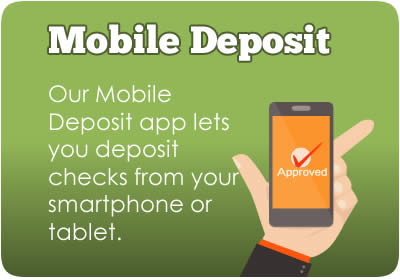

Online Services
NorState Federal Credit Union makes it easy to access your account from anywhere using your Mobile Phone, Computer or Home Phone. We also provide many other unique services to our members. If you are not a member, sign up now to start enjoying all these great benefits.
 Online Banking
NorState FCU Online gives you "real time" control over all of your accounts in the comfort of your home, office or on the road. You can manage your money safely from any Internet-enabled computer free of charge 24-hours a day, 7-days a week. Manage your money better than ever before!
Enjoy the convenience of these features:
- Account to account transfer
- View balances on all accounts
- View account histories
- Get real-time account balances
- Download .CSV of transactions into Excel
- Download statements
- Setup monthly budget and generate reports
- Transfer funds between accounts
- Setup automatic payments
- Make loan payments
- Make stop payments on checks
- Obtain tax information
- Obtain direct deposit information
- Pay your bills
- Communicate with us securely
- Manage your profile
- Setup e-alerts
- Re-order checks
Register for Online Banking
To get started, please follow the instructions below.
- Click "Sign Up" below
- Enter your Account Number, last 4 of your SSN, date of birth and "Yes" to Accept the Terms
- Setup your Username and Password
- Setup your Security Phrase and choose a Security Picture
- Wait for the process to complete. That's it! You have successfully enrolled your account.
For more information, please view the  Online Banking Brochure, call us at (800) 804-7555or visit our FAQ section.
 CUe-Statements
Access your statements faster from wherever you choose with no extra cost or fees. You can view, download and save your statements to your computer. You will need to have Adobe PDF reader or any other program that can read PDF's installed on your computer to view your statements.
Be assured that your statements are secured requiring you to login to Online Banking before viewing them. If you have not registered for CUe-Statements, please follow the procedures below to get started.
Register for CUe-Statements
To register, please follow the instructions below:
- Login to Online Banking
- Click on Statements
- Read the Disclosure
- Click "Agree"
- A message will appear stating, "You are successfully enrolled in e-Statements".
iTalk Telephone Banking
 Get quick, convenient account information with our new and improved TellerPhone service. This free service allows you to get your account information from home, the office or on the road with toll free access.
The credit union is always as close as your telephone. iTalk gives you up-to-the-minute information about your account; it's like having your own personal teller.
Benefits of iTalk:
- Account balances
- Account histories
- Funds transfer
- Account management
How to Register for iTalk
Steps to Register :
- Please first call your local number below. If your area of service is not listed, please call our toll free (855) 780-6179
- Enter your account number
- Enter your SSN
- Create a secure PIN for your account
Steps to Access your Account :
- Please first call your local number below. If your area is not listed, please call our toll free (855) 780-6179
- Press 1 for Touch Tone
- Enter your account number
- Enter your secure PIN
- Enter the last 4 Digits of your SSN or TIN
Please look below to find your local iTalk number:
- Local 1 : (207) 436-6106
- Madawaska (207) - 728, 436, 316
- Frenchville (207) - 543
- Grand Isle (207) - 895
- Edmundston, NB (506) - 223, 253, 254, 353, 733, 735, 736, 737, 739, 740
- Local 2: (207) 484-4000
- Van Buren (207) - 484, 868
- Limestone (207) - 325, 328, 999
- Caribou (207) - 492, 493, 496, 498
- New Sweden (207) - 896
- St. Leonard, NB (506) - 390, 421, 423, 824
- Local 3 : (207) 554-1003
- Presque Isle (207) - 227, 540, 551, 554, 760, 762, 764, 768, 769
- Mars Hill (207) - 425, 429
- Ashland (207) - 435
- Washburn (207) - 455
- Fort Fairfield (207) - 472, 473, 476
- Easton (207) - 488
For more information, please view the iTalk Document or Call us at (800) 804-7555
 CUPayLink (CUPaL)
NorState Federal Credit Union’s CUPayLink Bill Pay is an easy way to make payments without writing a check. It is designed to save you time and money and provide security when paying your bills and is a free service to our members.
With CUPayLink, you set up the account information for each of your payees, which can be organizations or persons.
When you receive bills, you select the payee, enter the amount you owe and the due date.
Your payment will be sent electronically to the payee if they are set up to receive them. If the payee is not set up to receive electronic payments, CUPayLink will print out a paper check and send it to the payee for you.
Benefits of CUPayLink:
- Easy bill paying: You don't have to write checks, buy stamps or mail bills
- Save time: By setting up your bills to be paid automatically, you'll save time. On average, people spend three days a year just paying bills.
- Save money: With the cost of stamps, you will save on postage alone.
- 24/7 access from any Internet-enabled computer
Using CUPayLink You Can:
- Send money to any individual, company or organization in the U.S (We reserve the right to refuse payments to anyone.)
- Set up your payee information. Unlimited amount of payees.
- Set up automatic payments for recurring bills.
- Review pending payments and make changes or cancel them if needed.
Additional Information:
- If your payee accepts electronic payments, please allow 2-5 business days for payments to be received and posted.
- If your payee accepts only checks, please allow 7-10 business days for them to be received and posted.
- Please allow extra time for weekends and holidays.
- When enrolling into CUPayLink, please make sure to enter your full MICR Number located on the bottom of your check book starting with "70036".
- If you are experiencing problems with your CUPayLink account, please contact iPay at (866) 884-5331. If you still require additional assistance, please call us at (800) 804-7555.
Sign up for CUPayLink
- You must have a NorState Federal Credit Share Draft Account.
- You will also need to sign up for Online Banking access.
- After logging into your account, you will then be prompted to enter your checking account number, which is the
full MICR number located on the bottom of your check book starting with "70036".